Gaussian Splatting in Unreal Engine
This guide explains how to load and render Gaussian Splatting models from Splatware inside Unreal Engine 5. Using the XScene-UEPlugin by XVERSE, you can view, manipulate, and render 3DGS scenes in real time.
Supported Unreal versions: UE 5.1, 5.2, 5.3, 5.4, 5.5.
Requirements
1. Download your PLY from Splatware
Open your trained project on /create and choose Export → PLY. This gives you a local .ply file compatible with the XScene Unreal Plugin.
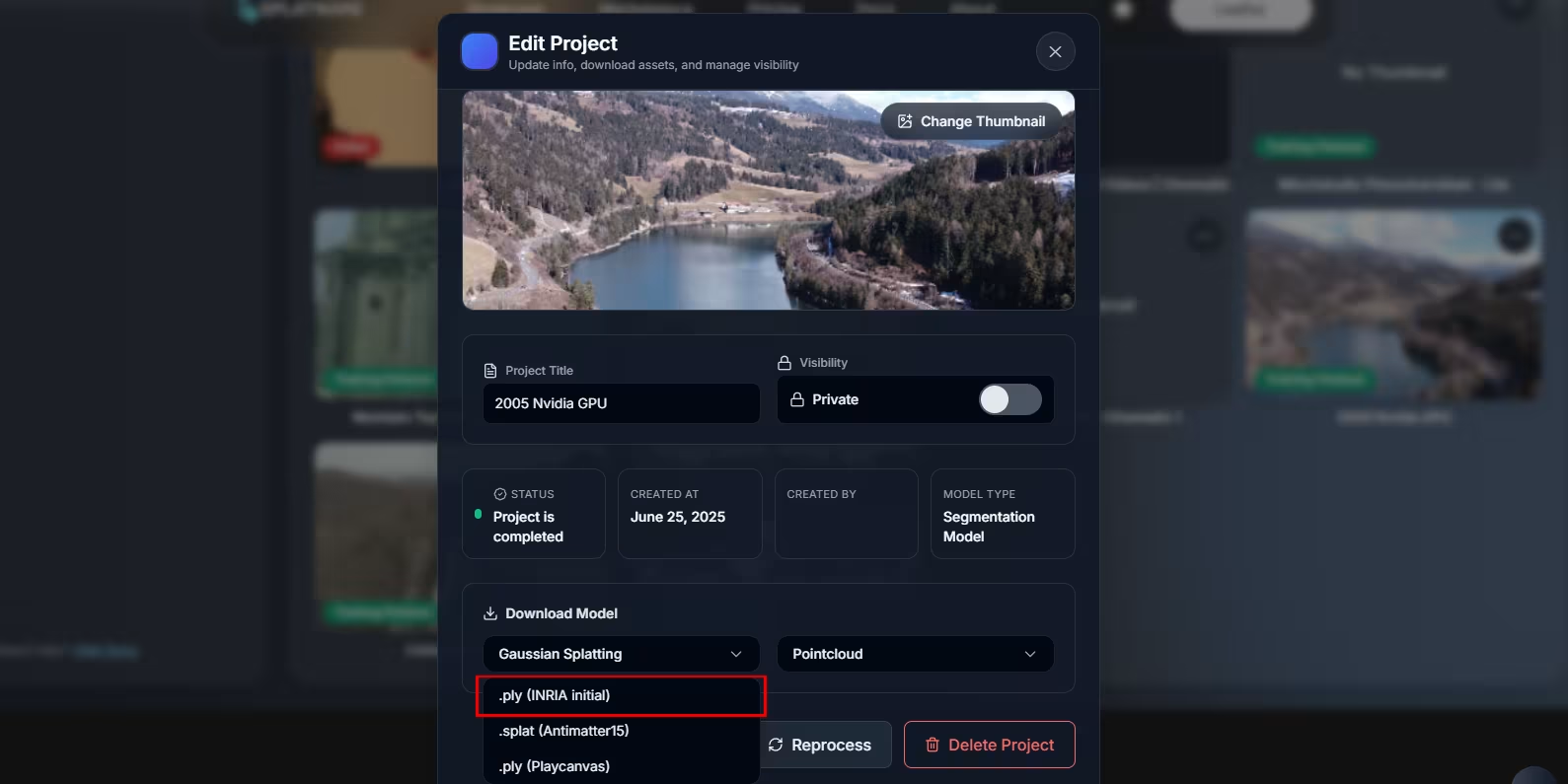
2. Install Unreal Engine 5
Install Unreal Engine 5.2+, 5.3+ or 5.4 using the Epic Games Launcher.
Download Unreal Engine →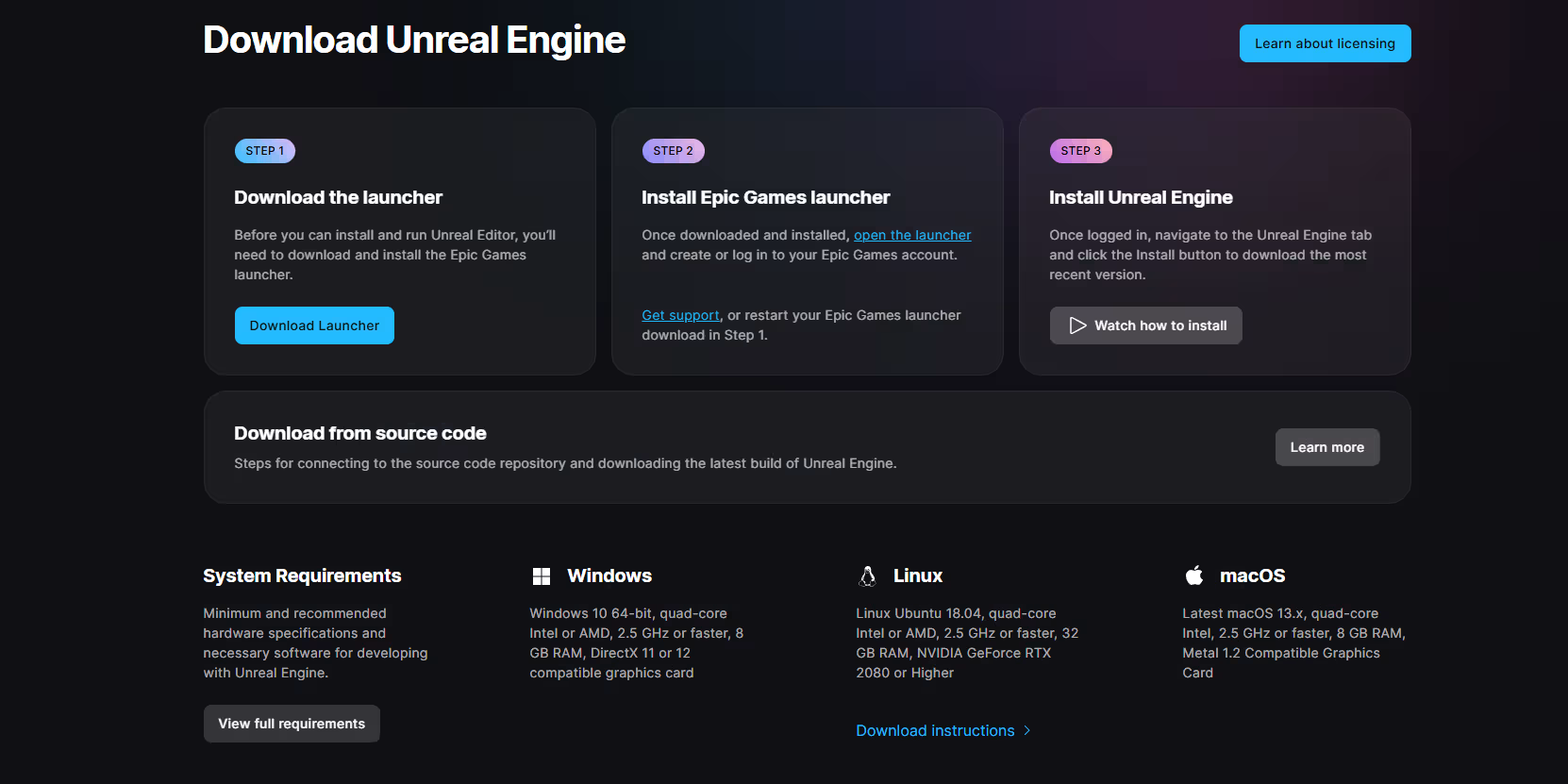
3. Download the XScene UE Plugin
The XScene-UEPlugin is an open-source plugin by XVERSE providing real-time Gaussian Splatting rendering via Niagara.
Open XScene Plugin on GitHub →Licensed under Apache 2.0 (free to use, modify and redistribute).
Installing Unreal Engine
- Install UE 5.1 – 5.5 via Epic Games Launcher.
- Enable the Niagara plugin (required for 3DGS rendering).
- Create or open an existing UE Blueprint or C++ project.
Installing the XScene UE Plugin
- Download the plugin as a ZIP from GitHub.
- Unzip the folder UEPlugin/Plugin.
- Copy the plugin folder into your Unreal directory:
C:/Program Files/Epic Games/UE_5.X/Engine/Plugins
- Start Unreal Engine.
- Go to Edit → Plugins, search for XV3DGS and enable it.
- Restart Unreal Engine.
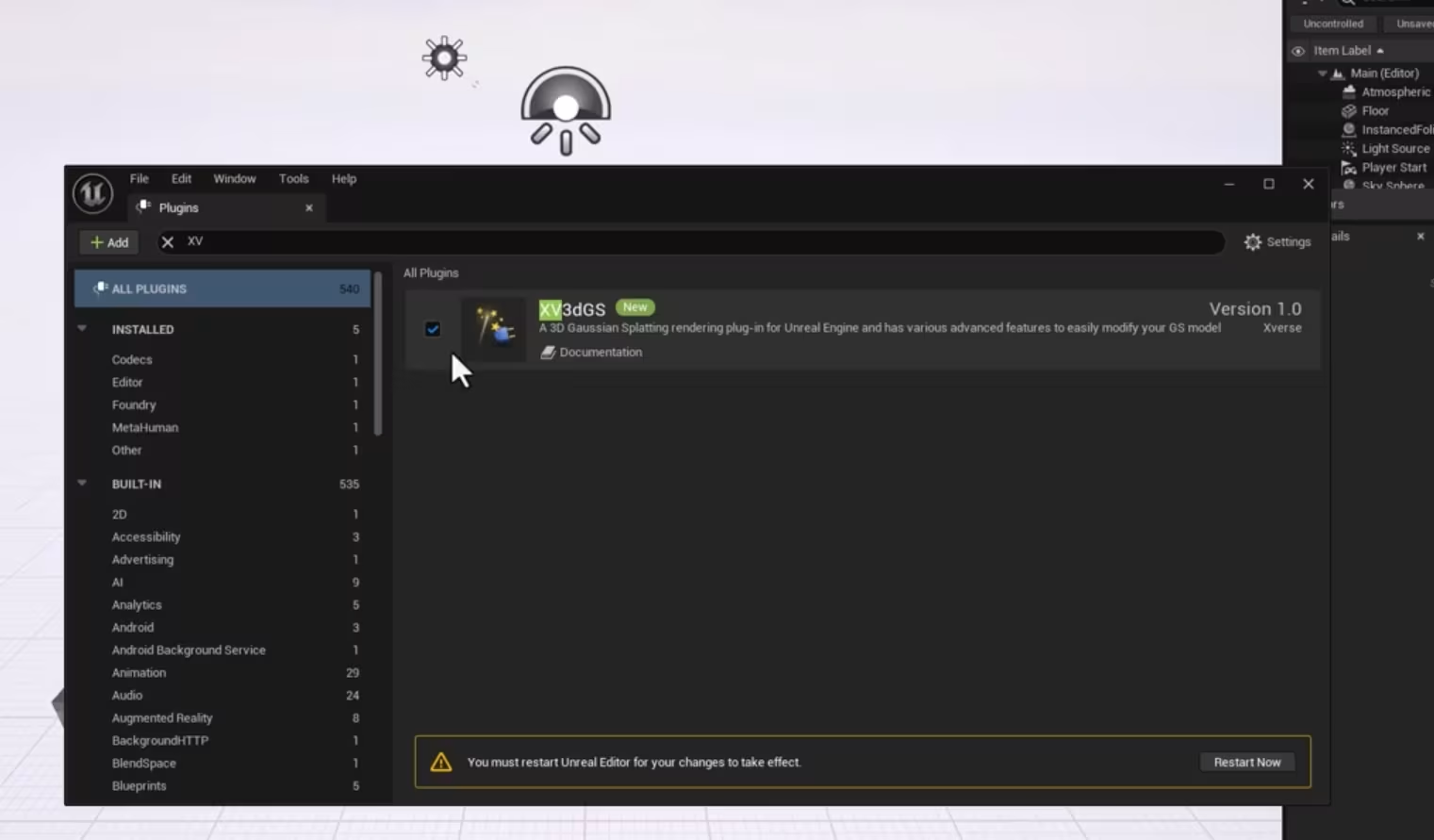
After restarting, the plugin adds a new window you can open at any time.
Importing a PLY File
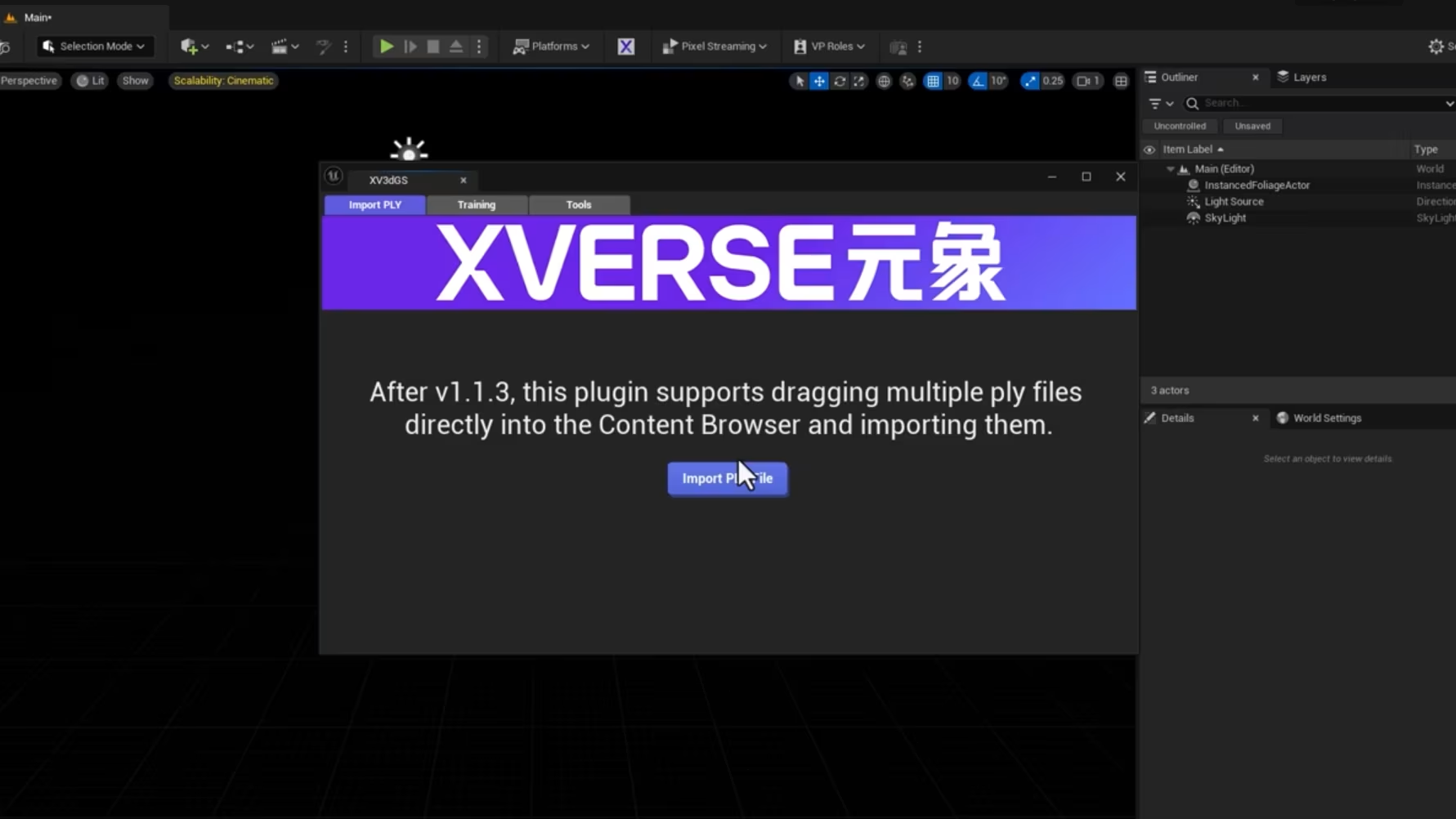
Once the plugin is active, open the new window:
Window → Xv3dGS
Inside the panel, choose:
Import PLY File
Select the .ply you downloaded from Splatware. The plugin will automatically generate:
- Blueprint class (your reusable GS asset)
- Position texture
- Quaternion texture
- Scale texture
- SH₀ texture (spherical harmonics)
Placing the Gaussian Splat in Your Scene
After the import finishes, you will see a new Blueprint asset representing the complete Gaussian Splatting scene.
- Open the Content Browser.
- Locate the generated Blueprint class (GS_BP_*).
- Drag & drop it into your level.
- Press Play — your 3D Gaussian Splat scene now renders in real time.
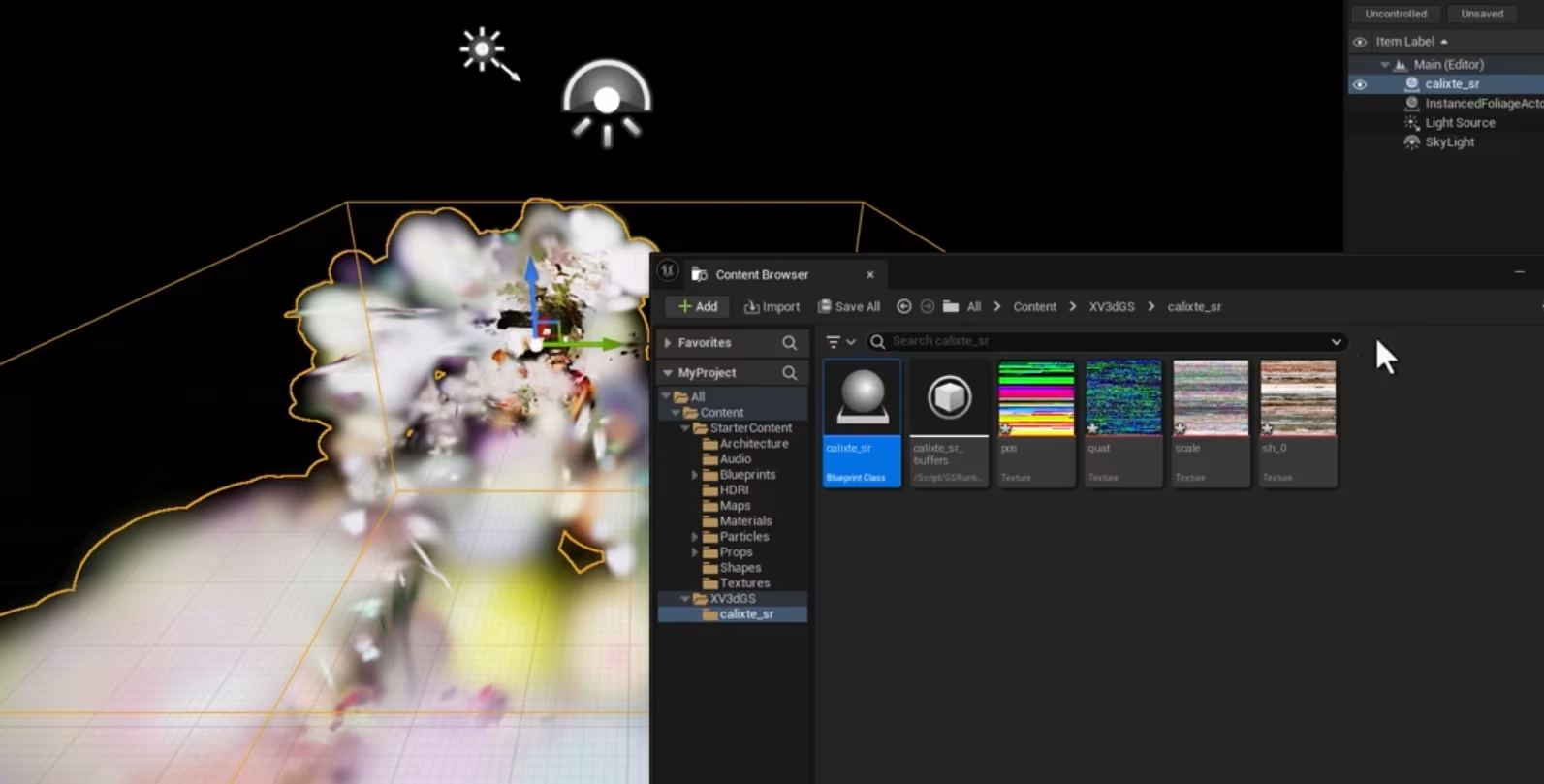
Unreal Engine automatically handles dynamic lighting, camera movement and Niagara-based rendering.
XScene-UEPlugin Features
The plugin is extremely capable and optimized for modern Gaussian Splatting. Here is an overview:
| Feature | Description |
|---|---|
| Real-time GS Rendering | Niagara-powered splat rendering optimized for high-performance UE5 scenes. |
| Hybrid Rendering | Combine GS with native meshes, lighting and post-processing. |
| LOD Generation | Automatic multi-level splat LOD for very large scenes. |
| Blueprint Support | Every imported 3DGS scene becomes a reusable Blueprint class. |
| Model Clipping | Clip regions or use splats as pure VFX emitters. |
| Dynamic Lighting | Supports UE dynamic lights & shadows. |
| Multiple PLY Import | Drag multiple PLY files at once into the UE content directory. |
| Supports SH0–SH3 | Works with models trained up to spherical harmonic degree SH3. |
The plugin is actively developed by XVERSE with regular updates for rendering performance, tools and usability.
Supported UE Versions & Notes
- Fully supports UE 5.1 – UE 5.5
- Niagara plugin must be enabled
- Large 3DGS scenes may require strong GPU hardware
- When importing large PLY files, save your project frequently
- Real-time rendering behaves differently depending on camera FOV, post-processing and view distance
For additional help, tips, updates and training tools, visit the official XScene documentation on GitHub.