Marketplace Overview
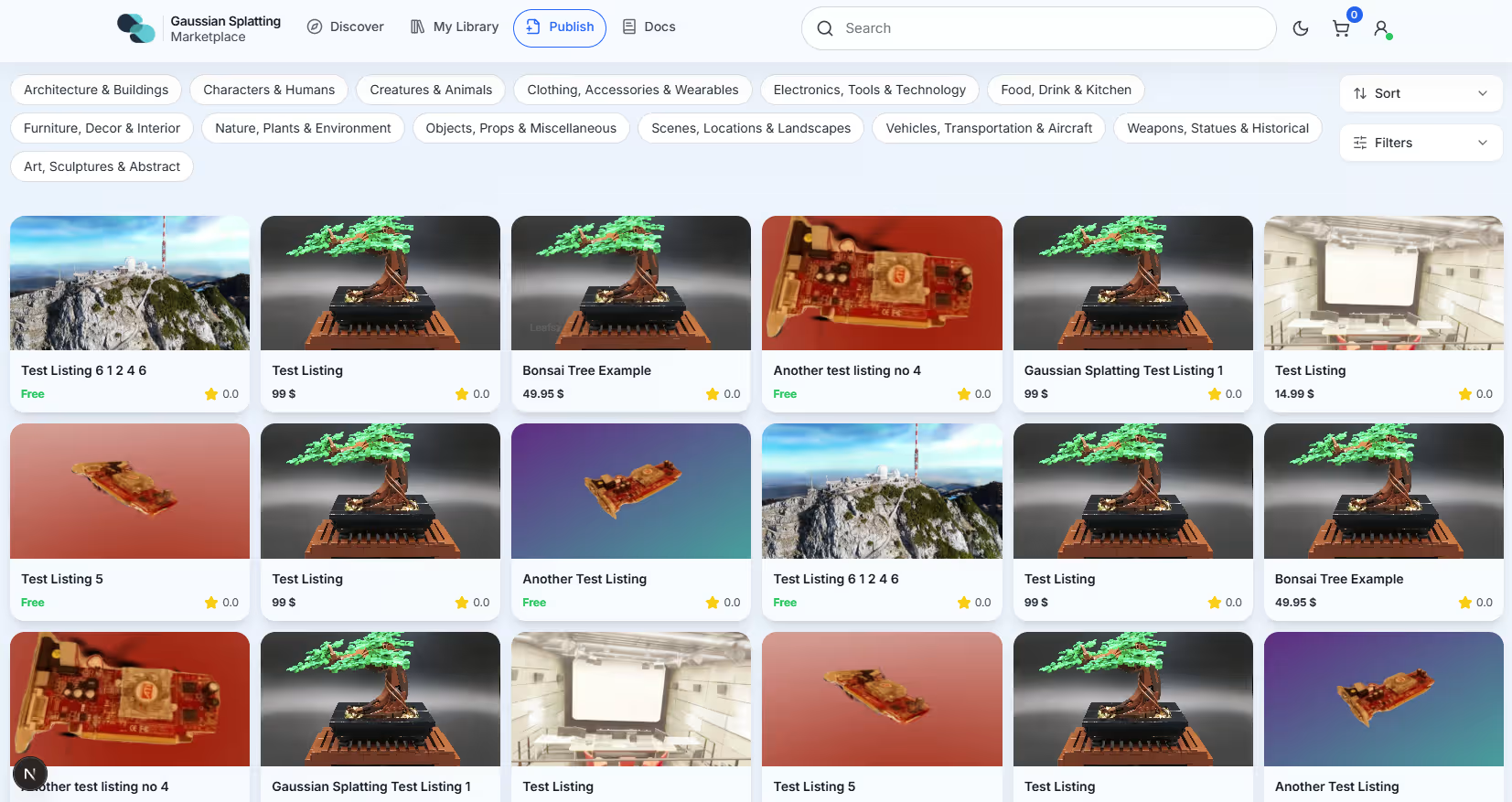
The Splatware Marketplace is the central place to discover, buy, and publish 3D Gaussian Splat models. It is designed for creators, studios, and teams who want to share assets or integrate high-quality 3D content into their projects.
This page gives a high-level overview of how the Marketplace works, how to access it, and which filters, sorting options, and categories are available when browsing.
Access Requirements
The Marketplace is available to authenticated users only. You must be signed in with your Splatware account to browse, purchase, or publish assets.
- You need an active Splatware account.
- Access the Marketplace from the main navigation or directly via
/marketplace. - Publishing content may require completing additional profile details or payout settings.
Once signed in, you can switch between Discover, My Library, and Publish to explore, manage, or submit assets.
Filters & Sorting
The Marketplace provides a focused set of filters and sorting options to quickly narrow down thousands of assets to exactly what you need.
Filters
- Price
Set a minimum and maximum price to stay within budget. - File size
Choose between:- ≤10MB
- 10–100MB
- 100MB+
- Minimum rating
Filter assets based on their average rating:0★, 1★, 2★, 3★, 4★, 5★
Sorting
Sorting helps you reorder results based on relevance, price, or recency:
- Relevance – Best overall match for your current filters and search term.
- Price: Low to High – Cheapest items first.
- Price: High to Low – Premium and high-priced assets at the top.
- Date: Oldest – Early listings first.
- Date: Newest – Most recently published items first.
Categories
Categories group similar assets to make browsing easier. You can combine categories with filters and sorting to target exactly the type of model you’re looking for.
- Architecture & Buildings
- Characters & Humans
- Creatures & Animals
- Clothing, Accessories & Wearables
- Electronics, Tools & Technology
- Food, Drink & Kitchen
- Furniture, Decor & Interior
- Nature, Plants & Environment
- Objects, Props & Miscellaneous
- Scenes, Locations & Landscapes
- Vehicles, Transportation & Aircraft
- Weapons, Statues & Historical
- Art, Sculptures & Abstract